Solar Panel Chargers
What are solar panel chargers?
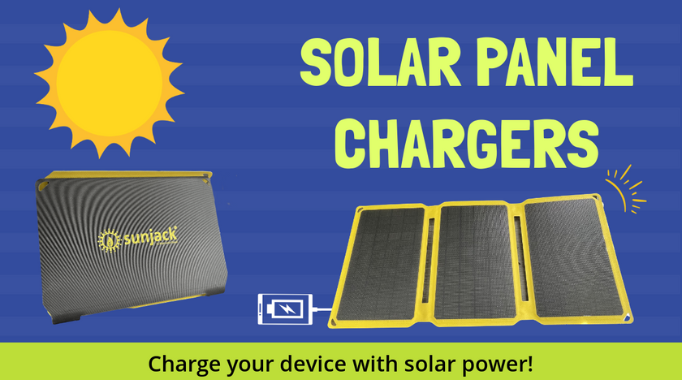
Solar panel chargers are a portable, foldable, and weatherproof devices that harness the power of the sun to charge your smartphone, tablet, or other small device. Each 25 watt solar panel contains one USB-C port and one USB-A port to charge two devices at the same time. They can be used for outdoor activities and during power outages or emergencies.
Mendocino County Library cardholders must meet the following conditions to checkout a solar panel charger kit:
- Borrowers must have Mendocino general (mg) cards in good standing “owing $20.00 or less.”
- Borrowers must be adults – 18 years old or older.
Solar Panel Charger Kits
- Are available at all branches on a first-come, first-serve availability basis.
- One charger can be checked out for 21 days at a time.
- Patron will be charged for any damage or loss of charger kits.
- Charger kits must be picked up and returned directly to staff at the branch where checked out; they may not be placed in the book drop.
- Are not requestable, and cannot be put on hold.
- Are renewable, and there is no waiting period to checkout again.
 Each solar panel charger kit contains:
Solar Panel Chargers were provided by the California State Library EmPOWERing Access project.
How do I get started?
Call or go into your local branch - solar panel charger kits are available at all branches on a first-come, first-serve availability basis.
How to Use
- Unzip the mesh cover and locate the Panel's junction box.
- Plug your device into the appropriate output port (USB-C or USB-A) using your device's charging cable (not included in kit).
- Unfold the solar panel charger and place the panel in direct sunlight for at least 5 seconds.
- The red LED light will illuminate when solar energy is available to charge your device.
- Your device will begin charging. The charging signal will be shown on your device, indicating it is receiving a charge.
- Please note: While the panel can directly charge your device, it does not itself store solar power for later use. We recommend using a separate power bank to store the solar power for convenient charging of your devices.
- Please refer to the user manual(PDF, 4MB) in the kit for detailed instructions.
Tips
- The Panel may be placed flat, angled to face the sun, or hung from one or more of the loops on its outer edge.
- The Panel performs best when directly angled toward the sun in bright sunlight.
- Windows, screens, and shade will significantly reduce performance and power output.
- An LED light will illuminate on the Panel’s junction box when the Panel is ready to charge your device.
- The Panel’s output ports can be used simultaneously to charge multiple devices at the same time. Each port is rated at 5V and pumps out up to 3 amps of power per USB port (25W total maximum output) to provide wall-outlet charging speeds. However, the total power output generated by the Panel will be shared between the ports when used at the same time.
- SunJack BackPacker Series Solar Panels include an exterior mesh pocket. The mesh design allows proper airflow, thereby preventing the device you are charging from overheating. This means you can safely store and charge your device at the same time.
- The mesh pocket includes an elastic strap(s) that can secure most sized power banks and cell phones while charging and/or storing.
- The panel is weatherproof, with waterproof USB ports. Designed for all weather conditions and environments.